





Geometry Dash is a rhythm platformer where one button controls everything, and every jump has to land at exactly the right moment.
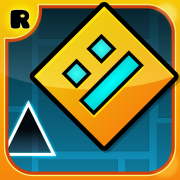
Here's a quick look at the game:
What is Geometry Dash?
Geometry Dash is a browser obstacle game built around auto-running movement and precise timing. Your cube moves forward on its own, and your job is to jump over spikes, dodge traps, and survive long enough to reach the end of each level. The action is fast, the screen keeps pushing, and there is no time to stop and plan once a run begins.
The main pressure comes from rhythm and memory. Obstacles arrive in tight patterns, and one missed jump sends you back to the start. Some sections stay on the ground, while others switch into flying-style movement where holding input changes your path. The core challenge is always the same: read the pattern early, react on beat, and keep your run clean.
How to Play Geometry Dash
Once a level starts, focus on the next obstacle instead of the whole course. The core loop is simple: move forward automatically, jump at the right time, survive each pattern, restart quickly after mistakes, and push farther on the next attempt. You are not managing resources or exploring a map. You are learning a sequence and executing it with better timing every run.
Your main goal is to reach the end of the level in one clean run. That means more than just reacting fast. You need to understand jump height, landing timing, and how close you can cut past spikes without clipping them. In flying sections, the goal changes slightly: instead of tapping over objects, you control altitude and try to stay centered through narrow gaps.
Replay comes from repetition and refinement. Early runs teach you where the danger sits. Later runs are about rhythm discipline. You stop guessing, start anticipating, and learn which jumps need a quick tap, which need a slightly later press, and where panic input ruins an otherwise good attempt. Progress usually comes from smoother execution, not from taking bigger risks.
Controls
| Key | Action |
|---|---|
| Left Click / Tap | Jump |
| Space | Jump |
| Up Arrow | Jump |
| Hold input | Fly upward in flying sections |
Tips of Geometry Dash
- Watch the obstacle pattern ahead instead of staring at your character all the time.
- Use light, early taps for short jumps and avoid holding longer than needed.
- In flying sections, make small corrections instead of jerky long holds.
- Treat every restart as information. Fix the same mistake immediately before it becomes a habit.