




Drive Quest is an open-world driving game built around free exploration, fast runs, drifting, and stunt challenges across a large map.
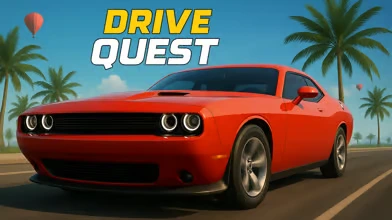
Here's a quick look at the game:
What is Drive Quest?
Drive Quest is a browser driving game where you jump into a car and roam a wide map instead of staying locked to one race track. You drive through highways, city roads, ports, tunnels, and hidden areas while testing different cars and taking on driving-based challenges. The focus is not just reaching one finish line. It is about moving, exploring, and finding new ways to use the map.
The main pressure comes from handling speed, corners, surfaces, and space. One moment you are cruising between cities, and the next you are trying to hold a drift, hit a clean stunt line, or push through a speed test without losing control. The fun comes from mixing free driving with challenge spots, secret routes, and a garage full of vehicles that let you approach the road in different ways.
How to Play Drive Quest
Start by getting comfortable with the map and your current car. Drive through open roads, check side paths, and look for places that naturally invite speed, jumps, or sharp turns. The core loop is simple: explore, find a challenge, attempt it, keep driving, and use what you learn on the next route. Some parts of the map reward raw speed, while others reward control, especially when you need to drift or change direction quickly.
Your main goal is to keep unlocking more from the world by driving better and pushing farther. That means reaching new areas, testing more vehicles, and handling a wider range of driving situations. A straight highway run asks for clean steering and momentum. A tighter section asks for braking control and better corner entry. A stunt spot asks you to line up the car early and keep the landing under control.
To keep progressing, pay attention to how each route behaves. Wide roads give you room to build speed, but hidden paths and awkward terrain can lead to useful shortcuts or new challenge spots. The game stays replayable because you are not solving one fixed course. You are constantly choosing where to go next, which car to use, and whether to play it safe, chase speed, or throw the car sideways through the next corner.
Controls
| Key | Action |
|---|---|
| WASD / Arrow Keys | Drive and steer |
| Space | Handbrake |
| C | Change camera |
Tips of Drive Quest
- Use open roads to build speed, but slow down before tight corners so you do not waste the run with a spin.
- Treat the handbrake as a control tool, not a panic button. A short tap is usually better than holding it too long.
- Switch camera views when a section feels awkward. A better angle can make corners, jumps, and landings easier to read.
- Explore side roads and hidden paths instead of staying on the main route. They can lead to cleaner lines, stunt spots, or new areas.